Email is still one of the most important tools for business communication. Sales teams use email to talk to leads. Support teams use email to help customers. Finance teams use email for invoices and payment confirmations. Agencies use email to manage clients. Small businesses use email for almost everything.
That is exactly why attackers love email.
A single phishing email can steal an employee password, install malware, trigger a fake invoice payment, expose customer data, or start a ransomware attack. For many companies, email is the easiest door into the business.
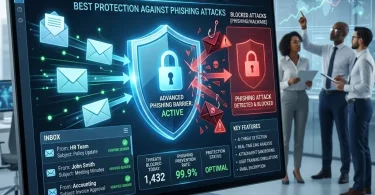
The best email security software helps stop phishing attacks before they reach employees. It can detect suspicious links, scan attachments, block malware, identify impersonation attempts, protect Microsoft 365 and Google Workspace accounts, reduce spam, and stop business email compromise attacks.
In 2026, email security is not only about blocking spam. Businesses need protection against phishing, spear phishing, ransomware attachments, malicious links, account takeover, fake login pages, supplier fraud, QR code phishing, and AI-written social engineering emails.
In this guide, we will compare the best email security software to stop phishing attacks, explain the key features you should look for, and help you choose the right solution for your business.
What Is Email Security Software?
Email security software is a cybersecurity tool that protects business email accounts from threats such as phishing, malware, spam, ransomware, malicious links, spoofing, impersonation, account takeover, and business email compromise.
A good email security platform can protect:
- Microsoft 365 email
- Google Workspace Gmail
- Exchange email
- Cloud email accounts
- Inbound emails
- Outbound emails
- Attachments
- Links and URLs
- Domain identity
- Employee inboxes
- Shared mailboxes
- Admin accounts
- Sensitive business data
Email security software usually includes:
- Anti-phishing protection
- Anti-spam filtering
- Malware scanning
- Attachment sandboxing
- Link protection
- Impersonation detection
- Business email compromise detection
- Domain spoofing protection
- DMARC, SPF, and DKIM support
- Data loss prevention
- Email encryption
- Quarantine management
- Threat intelligence
- Post-delivery email removal
- Admin reporting
- User awareness training
Modern email security tools use machine learning, behavioral analysis, reputation signals, attachment detonation, natural language analysis, and threat intelligence to identify dangerous emails.
Proofpoint describes email security software as specialized protection against email-based threats including phishing attacks, malware, spam, and data loss, often using technologies such as artificial intelligence and machine learning to detect known and emerging threats.
Why Businesses Need Email Security Software in 2026
Many businesses already use Microsoft 365 or Google Workspace, and both platforms include built-in security. But for businesses with higher risk, built-in protection may not be enough.
Attackers are now using more advanced techniques, including:
- Fake invoice emails
- CEO fraud
- Vendor impersonation
- Fake Microsoft 365 login pages
- Google Workspace credential theft
- QR code phishing
- Malicious file attachments
- Fake DocuSign or Dropbox links
- Payment redirect fraud
- Compromised supplier accounts
- AI-written phishing messages
- Token theft and device code phishing
A recent FBI-related warning highlighted a phishing scam targeting Microsoft users through the device code login flow. In that type of attack, users are tricked into entering a code on a real Microsoft login page, which can give attackers persistent access through captured tokens.
That is why businesses need layered email protection. Email security should not depend only on employees “spotting” fake emails manually.
Best Email Security Software to Stop Phishing Attacks
Below are some of the strongest email security solutions for small businesses, remote teams, agencies, professional service companies, and growing organizations.
1. Microsoft Defender for Office 365
Best for: Businesses using Microsoft 365
Good for: Phishing protection, Safe Links, Safe Attachments, Microsoft ecosystem security
Main strength: Native Microsoft 365 email protection
Microsoft Defender for Office 365 is one of the best email security solutions for companies already using Microsoft 365, Outlook, Exchange Online, Teams, SharePoint, and OneDrive.
It protects against phishing, malware, malicious links, suspicious attachments, impersonation, and advanced email threats. Because it works directly inside Microsoft 365, it is a natural choice for businesses already using Microsoft email.
Key Features
- Anti-phishing policies
- Safe Links
- Safe Attachments
- Anti-malware protection
- Threat Explorer
- Attack simulation training
- Automated investigation and response
- Impersonation protection
- Spoof intelligence
- Quarantine management
- Microsoft 365 integration
- Defender XDR integration
- Post-delivery threat detection
Why Microsoft Defender for Office 365 Is Good
The biggest benefit is integration. If your company already uses Microsoft 365, Defender for Office 365 works inside the same ecosystem.
Safe Attachments is especially useful because it checks email attachments in a virtual environment for harmful content such as malware, ransomware, and phishing before they are delivered to users. Microsoft calls this process detonation.
Microsoft Defender for Office 365 is also strong when combined with Microsoft Defender for Endpoint, Microsoft Entra ID, and Microsoft Sentinel.
Best Fit
Microsoft Defender for Office 365 is best for businesses that use Microsoft 365 and want strong native email security with phishing, malware, and attachment protection.
Possible Downsides
Some advanced features may require higher-tier plans. Businesses not fully using Microsoft 365 may prefer Proofpoint, Mimecast, Barracuda, or Check Point.
2. Google Workspace Email Security
Best for: Businesses using Gmail and Google Workspace
Good for: Built-in phishing and malware protection, admin controls, Google ecosystem
Main strength: Strong native Gmail protection
Google Workspace includes built-in email security for Gmail, including spam filtering, phishing protection, malware detection, attachment scanning, and admin security controls.
Google says Gmail automatically blocks more than 99.9% of spam, phishing attempts, and malware before they reach users.
Key Features
- Gmail spam filtering
- Phishing protection
- Malware protection
- Attachment scanning
- Spoofing protection
- Advanced phishing and malware controls
- Security center on eligible plans
- Admin quarantine
- Context-aware access options
- Data loss prevention on some plans
- Google Safe Browsing integration
- Google Workspace admin controls
Why Google Workspace Email Security Is Good
Google Workspace is strong for businesses already using Gmail, Drive, Docs, Meet, and other Google apps. Built-in Gmail security is easy to use and does not require complicated setup for basic protection.
Google Workspace also offers advanced phishing and malware settings for admins, including protections against messages where a sender’s name matches someone in the company directory but the email is not from the company’s domain or aliases.
Best Fit
Google Workspace Email Security is best for small and mid-sized businesses already using Gmail and Google Workspace.
Possible Downsides
High-risk businesses may still need additional protection from Proofpoint, Mimecast, Abnormal Security, Barracuda, or Check Point, especially for advanced BEC and impersonation detection.
3. Proofpoint Email Protection
Best for: Advanced phishing and enterprise email threat protection
Good for: Spear phishing, malware, BEC, compliance-heavy organizations
Main strength: Advanced email threat intelligence and protection
Proofpoint is one of the most recognized names in email security. It is widely used by larger businesses, enterprises, and organizations that need strong protection against phishing, business email compromise, malware, ransomware, and targeted attacks.
Key Features
- Advanced threat protection
- Anti-phishing detection
- Business email compromise protection
- Malware and ransomware defense
- URL defense
- Attachment sandboxing
- Impersonation protection
- Threat intelligence
- Email fraud defense
- Data loss prevention options
- Security awareness training
- Cloud email protection
- Post-delivery remediation
Why Proofpoint Is Good
Proofpoint is strong for companies facing sophisticated email threats. It is built for advanced protection, not just basic spam filtering.
It can help detect threats such as:
- Fake vendor invoices
- Executive impersonation
- Credential phishing
- Malicious links
- Malware attachments
- Compromised sender accounts
- Supplier fraud
- Targeted spear phishing
Best Fit
Proofpoint is best for mid-sized and larger businesses that need advanced email security and strong phishing protection.
Possible Downsides
Proofpoint may be more expensive and complex than what a very small business needs.
4. Mimecast Email Security
Best for: Email security plus continuity and archiving
Good for: Microsoft 365 protection, phishing defense, compliance, email resilience
Main strength: Security, archiving, continuity, and compliance together
Mimecast is another major email security provider. It protects businesses from phishing, malware, ransomware, impersonation, malicious URLs, and email-based fraud.
Mimecast is often used by businesses that want email security plus archiving, continuity, and compliance features.
Key Features
- Secure email gateway
- Anti-phishing protection
- Impersonation protection
- URL protection
- Attachment protection
- Malware scanning
- Email continuity
- Email archiving
- DMARC support
- Security awareness training
- Data leak prevention
- Admin reporting
- Microsoft 365 protection
Why Mimecast Is Good
Mimecast is especially useful for companies that rely heavily on email and cannot afford downtime. Email continuity can help users keep working even when there are mail service disruptions.
It is also a good fit for legal, finance, healthcare, insurance, consulting, and professional service businesses that care about archiving and compliance.
Best Fit
Mimecast is best for businesses that want email threat protection, continuity, archiving, and compliance features in one platform.
Possible Downsides
Mimecast may be more than a very small company needs if the business only wants simple phishing protection.
5. Barracuda Email Protection
Best for: Small and mid-sized businesses
Good for: Phishing protection, ransomware defense, Microsoft 365 security, email continuity
Main strength: Complete email protection for SMBs
Barracuda Email Protection is a strong option for small and mid-sized businesses that want email security without building a complex enterprise security stack.
Barracuda Email Gateway Defense can filter spam and viruses before messages reach Microsoft 365 mail servers, and it can also process outbound mail as an email gateway.
Key Features
- Email gateway protection
- Anti-phishing detection
- Anti-spam filtering
- Malware scanning
- Ransomware protection
- Link protection
- Attachment scanning
- Impersonation protection
- Email continuity
- Email archiving
- Incident response tools
- Microsoft 365 protection
- Security awareness training options
Why Barracuda Is Good
Barracuda is practical for small businesses and IT-managed companies because it provides multiple layers of email protection. It is also popular with managed service providers.
It can help protect against common threats such as:
- Spam
- Malware
- Phishing links
- Dangerous attachments
- Ransomware
- Impersonation
- Account takeover
Best Fit
Barracuda Email Protection is best for small and mid-sized businesses that want reliable email protection with good SMB-friendly packaging.
Possible Downsides
Businesses with very advanced BEC risk may still want to compare Abnormal Security, Proofpoint, or Mimecast.
6. Abnormal Security
Best for: Business email compromise and account takeover protection
Good for: AI-based behavioral detection, vendor fraud, executive impersonation
Main strength: Detecting socially engineered email attacks
Abnormal Security is known for behavioral AI-based email protection. It focuses heavily on business email compromise, account takeover, vendor fraud, invoice fraud, and socially engineered attacks.
This matters because not every dangerous email contains malware or a suspicious attachment. Some phishing emails are just carefully written messages asking an employee to send money, change bank details, or reveal sensitive information.
Key Features
- Business email compromise protection
- Vendor fraud detection
- Account takeover detection
- Behavioral AI analysis
- Impersonation protection
- Malicious email detection
- Post-delivery remediation
- Email productivity app protection
- Microsoft 365 and Google Workspace integration
- User and vendor behavior modeling
Why Abnormal Security Is Good
Abnormal Security is strong because many modern email attacks do not look like traditional spam. They may come from compromised real accounts or trusted vendors.
It can help detect:
- Fake invoice changes
- Vendor impersonation
- Executive fraud
- Payroll redirection scams
- Account takeover
- Internal account misuse
- Social engineering emails
Best Fit
Abnormal Security is best for businesses worried about BEC, vendor fraud, executive impersonation, and account takeover.
Possible Downsides
It may be more expensive than basic email filtering tools and may be better suited for businesses with higher financial or operational risk.
7. Check Point Harmony Email & Collaboration
Best for: Email plus collaboration app security
Good for: Microsoft 365, Google Workspace, Teams, SharePoint, OneDrive
Main strength: Protecting email and collaboration tools together
Check Point Harmony Email & Collaboration protects email and cloud collaboration apps from phishing, malware, account takeover, and data loss.
This is important because business communication no longer happens only inside email. Employees also share links and files through Teams, OneDrive, SharePoint, Google Drive, and other collaboration tools.
Key Features
- Anti-phishing protection
- Malware detection
- Attachment protection
- URL protection
- Account takeover protection
- Data loss prevention
- Microsoft 365 protection
- Google Workspace protection
- Teams and collaboration security
- Threat extraction
- Threat emulation
- AI-based detection
Why Check Point Harmony Is Good
Check Point Harmony is useful for businesses that need protection beyond the inbox. If employees receive links, attachments, and files through cloud apps, collaboration security becomes important.
Best Fit
Check Point Harmony Email & Collaboration is best for companies using Microsoft 365 or Google Workspace that want protection across email and collaboration tools.
Possible Downsides
Setup and policy configuration may require more technical knowledge than basic email protection.
8. Cisco Secure Email Threat Defense
Best for: Enterprise-grade email threat protection
Good for: Advanced malware, phishing, threat intelligence, Cisco security ecosystem
Main strength: Threat intelligence and enterprise security integration
Cisco Secure Email Threat Defense is built for businesses that need advanced email threat protection and strong integration with Cisco’s broader security ecosystem.
Key Features
- Anti-phishing protection
- Malware protection
- URL defense
- Attachment analysis
- Threat intelligence
- Secure email gateway options
- Domain protection
- Data loss prevention options
- Encryption options
- Cisco security integration
- Advanced reporting
Why Cisco Secure Email Is Good
Cisco is strong for organizations that already use Cisco security tools. Email security can become part of a wider security architecture including network, endpoint, firewall, identity, and threat intelligence.
Best Fit
Cisco Secure Email Threat Defense is best for larger businesses or Cisco-based environments.
Possible Downsides
It may be more complex than what small businesses need.
9. Cloudflare Area 1 Email Security
Best for: Cloud-native phishing protection
Good for: Pre-delivery phishing detection, link analysis, cloud email security
Main strength: Stopping phishing before it reaches users
Cloudflare Area 1 Email Security focuses on detecting and stopping phishing campaigns before they reach inboxes. It can protect Microsoft 365, Google Workspace, and other email environments.
Key Features
- Phishing detection
- Pre-delivery protection
- Malicious link scanning
- Email campaign analysis
- Domain reputation analysis
- Brand impersonation detection
- Cloud email protection
- Threat intelligence
- Microsoft 365 and Google Workspace support
- Integration with Cloudflare security platform
Why Cloudflare Area 1 Is Good
Cloudflare Area 1 is useful for businesses that want cloud-native phishing detection and already use Cloudflare for DNS, CDN, WAF, or Zero Trust security.
Best Fit
Cloudflare Area 1 is best for cloud-first businesses that want strong phishing protection and Cloudflare ecosystem integration.
Possible Downsides
Companies needing full archiving, continuity, and compliance may prefer Mimecast or Barracuda.
10. IRONSCALES
Best for: AI-powered phishing defense and awareness workflow
Good for: Phishing simulation, mailbox remediation, user reporting
Main strength: Combining detection with employee reporting and training
IRONSCALES focuses on phishing detection, response, simulation, and employee awareness. It is useful for organizations that want both technology and human reporting workflows.
Key Features
- AI phishing detection
- User-reported phishing workflow
- Phishing simulation
- Mailbox-level remediation
- Incident response automation
- Security awareness training
- Threat intelligence
- Microsoft 365 and Google Workspace integration
- Admin dashboard
Why IRONSCALES Is Good
IRONSCALES is useful because employee reporting is an important part of email security. Even with good filters, some phishing emails may get through. When employees can report suspicious emails easily, the security team can respond faster.
Best Fit
IRONSCALES is best for businesses that want phishing protection, employee reporting, and awareness training in one workflow.
Possible Downsides
It may work best as part of a broader email security strategy rather than the only protection layer for high-risk businesses.
Quick Comparison Table
| Email Security Software | Best For | Main Strength | Best Business Type |
|---|---|---|---|
| Microsoft Defender for Office 365 | Microsoft 365 users | Native Microsoft protection | Microsoft-based businesses |
| Google Workspace Email Security | Gmail users | Built-in Gmail phishing and malware protection | Google Workspace businesses |
| Proofpoint Email Protection | Advanced phishing defense | Threat intelligence and targeted attack protection | Mid-sized and large businesses |
| Mimecast Email Security | Security + continuity | Email protection, archiving, resilience | Professional services and compliance teams |
| Barracuda Email Protection | SMB email protection | Gateway, phishing, malware, continuity | Small and mid-sized businesses |
| Abnormal Security | BEC and vendor fraud | Behavioral AI detection | Finance-sensitive businesses |
| Check Point Harmony Email | Email + collaboration security | Microsoft 365 and Google Workspace protection | Cloud collaboration teams |
| Cisco Secure Email | Enterprise security | Threat intelligence and Cisco integration | Larger businesses |
| Cloudflare Area 1 | Cloud phishing detection | Pre-delivery phishing protection | Cloud-first teams |
| IRONSCALES | Phishing workflow | AI detection, simulation, reporting | Security-aware teams |
Important Features to Look for in Email Security Software
Not all email security tools are equal. When choosing software, focus on the features that reduce real business risk.
1. Anti-Phishing Protection
The software should detect fake login pages, suspicious links, impersonation attempts, and credential theft campaigns.
2. Business Email Compromise Detection
BEC attacks often contain no malware. They rely on social engineering. The best email security tools analyze sender behavior, message tone, payment language, reply-chain history, and vendor relationships.
A research paper on BEC detection notes that modern business email compromise and spear phishing can blend into normal traffic and may require multiple detection approaches across text, images, metadata, and communication context.
3. Attachment Sandboxing
Dangerous attachments should be opened in a secure virtual environment before reaching users.
4. Link Protection
Link protection checks URLs when the email arrives and when the user clicks. This matters because attackers sometimes change a link after delivery.
5. Impersonation Protection
The tool should detect fake senders pretending to be your CEO, CFO, vendor, client, bank, hosting provider, or software platform.
6. Account Takeover Detection
If an employee account is compromised, the platform should detect unusual sending behavior, suspicious login patterns, and internal phishing.
7. DMARC, SPF, and DKIM Support
These email authentication standards help protect your domain from spoofing. They are not enough by themselves, but they are important.
8. Data Loss Prevention
DLP helps stop sensitive information from leaving the company by email. This may include customer records, financial files, contracts, health data, or personal information.
9. Post-Delivery Remediation
Some threats are detected after delivery. Post-delivery remediation lets admins remove malicious emails from inboxes after they have already arrived.
10. User Reporting and Training
Employees should be able to report suspicious emails easily. Training helps reduce clicks on phishing emails.
What Is Phishing?
Phishing is a cyberattack where criminals send fake messages to trick people into revealing information, clicking dangerous links, downloading malware, or sending money.
Phishing emails may pretend to come from:
- Microsoft
- Banks
- PayPal
- Stripe
- Vendors
- Clients
- Hosting companies
- Delivery companies
- Government agencies
- Company executives
- HR departments
- IT support teams
A phishing email may ask the user to:
- Reset a password
- Open an invoice
- Confirm payment
- Update bank details
- Download a document
- Approve a login
- Scan a QR code
- Share a one-time code
- Buy gift cards
- Transfer money
Email security software helps detect and block these attacks before employees make a mistake.
Types of Email Attacks Businesses Should Know
Phishing
General fake emails designed to steal passwords or trick users.
Spear Phishing
Targeted phishing aimed at a specific person or company.
Business Email Compromise
A scam where attackers impersonate executives, vendors, or trusted contacts to steal money or sensitive information.
Account Takeover
An attacker gains access to a real email account and uses it to send more convincing phishing emails.
Malware Attachments
Emails containing infected files that install malware or ransomware.
Ransomware Emails
Emails that deliver ransomware through links or attachments.
QR Code Phishing
Emails that include QR codes leading to fake login pages.
Invoice Fraud
Attackers send fake invoices or ask employees to change payment details.
OAuth Consent Phishing
Attackers trick users into granting access to a malicious app.
Device Code Phishing
Attackers trick users into entering login codes on legitimate platforms to gain access tokens. This is especially dangerous because the login page may be real, not fake.
Email Security for Microsoft 365
Microsoft 365 is one of the most targeted business platforms because so many companies use Outlook, Exchange Online, Teams, OneDrive, and SharePoint.
If your business uses Microsoft 365, you should protect it with:
- Microsoft Defender for Office 365 or third-party email security
- MFA for all accounts
- Conditional access
- Safe Links
- Safe Attachments
- Anti-phishing policies
- DMARC, SPF, and DKIM
- External sender warnings
- Mailbox audit logging
- Admin account protection
- Attack simulation training
Microsoft Defender for Office 365 is a strong starting point, but high-risk businesses may also compare Proofpoint, Mimecast, Abnormal Security, Barracuda, Check Point, or Cloudflare Area 1.
Email Security for Google Workspace
Google Workspace includes strong built-in Gmail protection, but businesses should still configure advanced security settings.
If your business uses Google Workspace, you should enable:
- Advanced phishing and malware protection
- Spoofing and authentication protections
- External sender warnings
- Attachment scanning
- Link protection
- Admin quarantine
- MFA or passkeys
- Context-aware access where available
- Security center alerts
- DMARC, SPF, and DKIM
- Data loss prevention on eligible plans
Google has also published guidance for admins on defending against malware and phishing attacks using Google Workspace, Chrome Enterprise, and ChromeOS.
High-risk businesses using Google Workspace can add extra protection from Abnormal Security, Proofpoint, Mimecast, Barracuda, Check Point, Cloudflare Area 1, or IRONSCALES.
Email Security Best Practices for Businesses
Email security software works best when combined with strong policies.
Enable MFA for Every Email Account
Email accounts are high-value targets. CISA says multifactor authentication adds an extra step beyond passwords and can protect businesses, online purchases, and bank accounts.
Use Strong Passwords and a Password Manager
Every email account should have a unique password. Business password managers help employees avoid reuse.
Configure SPF, DKIM, and DMARC
These records help prevent attackers from spoofing your domain.
Turn On External Sender Warnings
Employees should clearly see when an email comes from outside the company.
Protect Admin Accounts
Admin accounts should have stronger MFA, fewer users, and regular monitoring.
Train Employees
Employees should learn how to spot fake login pages, invoice fraud, urgent payment requests, and suspicious attachments.
Use Phishing Simulations
Phishing simulations help identify risky behavior and improve training.
Monitor Mailbox Rules
Attackers often create hidden forwarding rules after compromising an email account.
Review Vendor Payment Changes
Never change vendor bank details based only on email. Confirm through a trusted phone number or separate channel.
Keep Email Security Policies Updated
Attackers change tactics. Your policies should be reviewed regularly.
Common Email Security Mistakes
Mistake 1: Relying Only on Built-In Email Protection
Microsoft 365 and Google Workspace are strong, but some businesses need extra layers for BEC, account takeover, and advanced phishing.
Mistake 2: Not Using MFA
A stolen email password can lead to account takeover if MFA is not enabled.
Mistake 3: Ignoring DMARC
Without DMARC, attackers may spoof your domain more easily.
Mistake 4: Trusting Display Names
Attackers can make the display name look like your CEO, vendor, or client.
Mistake 5: Allowing Automatic Forwarding
Compromised accounts may forward emails to attackers. Review forwarding rules.
Mistake 6: Not Training Finance Teams
Finance and admin staff are high-value targets because they handle payments and invoices.
Mistake 7: Not Removing Former Employees
Old email accounts should be disabled or secured immediately.
Mistake 8: No Incident Response Plan
Your business should know what to do if a phishing email is clicked or an account is compromised.
How Much Does Email Security Software Cost?
Email security pricing depends on:
- Number of users
- Microsoft 365 or Google Workspace environment
- Email gateway vs API-based protection
- Anti-phishing features
- Attachment sandboxing
- Link protection
- BEC protection
- Archiving
- Continuity
- Encryption
- DLP
- Awareness training
- Managed detection or response
- Monthly or annual billing
Basic email security is cheaper. Advanced protection against business email compromise, vendor fraud, account takeover, and compliance risks costs more.
When comparing tools, ask:
- Does it stop BEC emails with no malware?
- Does it scan attachments in a sandbox?
- Does it rewrite and scan links?
- Does it support Microsoft 365 and Google Workspace?
- Can it remove malicious emails after delivery?
- Does it detect account takeover?
- Does it include DMARC help?
- Does it include awareness training?
- Does it protect collaboration apps?
- Are archiving and continuity included?
The cheapest tool is not always the best. One successful invoice fraud or ransomware attack can cost far more than proper email protection.
Best Email Security Software by Use Case
Best for Microsoft 365 Users
Microsoft Defender for Office 365 is the best native choice. For advanced protection, compare Proofpoint, Mimecast, Abnormal Security, Barracuda, and Check Point Harmony.
Best for Google Workspace Users
Google Workspace built-in security is strong, but high-risk businesses can add Abnormal Security, Proofpoint, Mimecast, Barracuda, Check Point Harmony, or Cloudflare Area 1.
Best for Small Businesses
Barracuda Email Protection, Microsoft Defender for Office 365, Google Workspace security, and IRONSCALES are practical options for small businesses.
Best for BEC and Vendor Fraud
Abnormal Security, Proofpoint, and Mimecast are strong options.
Best for Email Continuity and Archiving
Mimecast and Barracuda are strong choices.
Best for Cloud-First Businesses
Cloudflare Area 1, Check Point Harmony, Abnormal Security, and Microsoft Defender for Office 365 are good options.
Best for Security Awareness Training
Proofpoint, Mimecast, Barracuda, and IRONSCALES offer strong awareness or phishing simulation options.
Final Verdict: What Is the Best Email Security Software?
The best email security software depends on your email platform, business size, and threat level.
For most businesses:
- Best for Microsoft 365: Microsoft Defender for Office 365
- Best for Google Workspace: Google Workspace Email Security plus advanced settings
- Best enterprise phishing protection: Proofpoint
- Best for security, continuity, and archiving: Mimecast
- Best for small and mid-sized businesses: Barracuda Email Protection
- Best for BEC and vendor fraud: Abnormal Security
- Best for email plus collaboration app security: Check Point Harmony Email & Collaboration
- Best for Cloudflare users: Cloudflare Area 1
- Best for phishing reporting and training: IRONSCALES
If your business only needs basic protection, Microsoft 365 and Google Workspace built-in tools may be enough when configured correctly. If your business handles payments, sensitive customer data, legal files, healthcare records, financial records, or admin access, you should consider advanced email security software.
The most important point is this: phishing attacks do not need to be technically complex to be successful. One convincing email can cause serious financial and data loss. Strong email security software helps stop threats before employees click.
FAQs About Email Security Software
What is the best email security software?
The best email security software depends on your platform and risk level. Microsoft Defender for Office 365 is best for Microsoft 365 users, Google Workspace security is strong for Gmail users, Proofpoint is strong for advanced phishing protection, Mimecast is good for security and continuity, and Barracuda is practical for small and mid-sized businesses.
Do small businesses need email security software?
Yes. Small businesses are common phishing targets because they often have weaker security and valuable data. Email security software helps block phishing, malware, ransomware, spam, and business email compromise.
Is Microsoft 365 email security enough?
Microsoft 365 includes strong security, especially with Microsoft Defender for Office 365. However, businesses with higher risk may need additional protection for BEC, vendor fraud, account takeover, and advanced phishing.
Is Google Workspace Gmail security enough?
Gmail has strong built-in spam, phishing, and malware protection. Google says Gmail blocks more than 99.9% of spam, phishing attempts, and malware. High-risk businesses may still add advanced third-party protection.
What is business email compromise?
Business email compromise is an attack where criminals impersonate executives, employees, vendors, or trusted contacts to trick businesses into sending money or sensitive data.
Can email security software stop ransomware?
Email security software can reduce ransomware risk by blocking malicious attachments, dangerous links, and phishing emails. Businesses should also use endpoint security and cloud backups.
What is attachment sandboxing?
Attachment sandboxing opens suspicious files in a safe virtual environment to check if they are harmful before delivering them to users.
What is link protection?
Link protection scans URLs in emails to detect fake login pages, malware downloads, and suspicious websites. Some tools check links again at click time.
What are SPF, DKIM, and DMARC?
SPF, DKIM, and DMARC are email authentication standards that help verify whether emails are allowed to come from your domain and reduce spoofing.
What is the best email security software for phishing?
Proofpoint, Mimecast, Microsoft Defender for Office 365, Barracuda, Abnormal Security, Check Point Harmony, and Cloudflare Area 1 are strong options for phishing protection.